Lunch and leg day in one diary
Eat & Lift tracks your food and your training together, with an AI coach who sees both.


Free to use. No ads, ever.
-
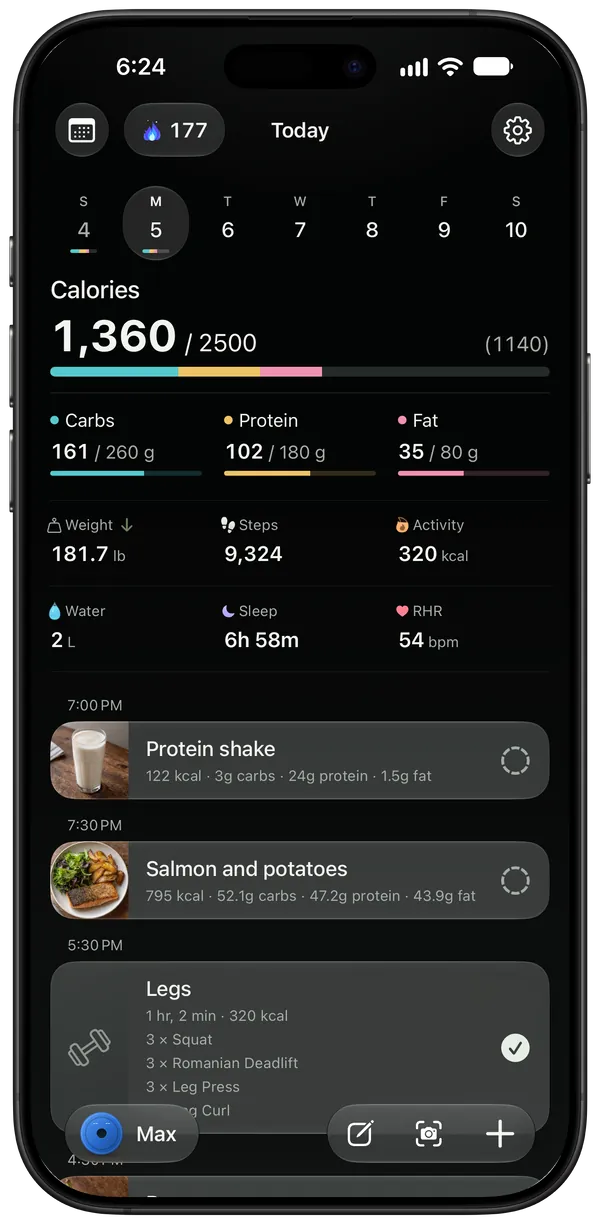
Your day on one timeline
Plan meals and workouts, then check them off as the day goes. Calories and macros sit at the top, against your goal.
-
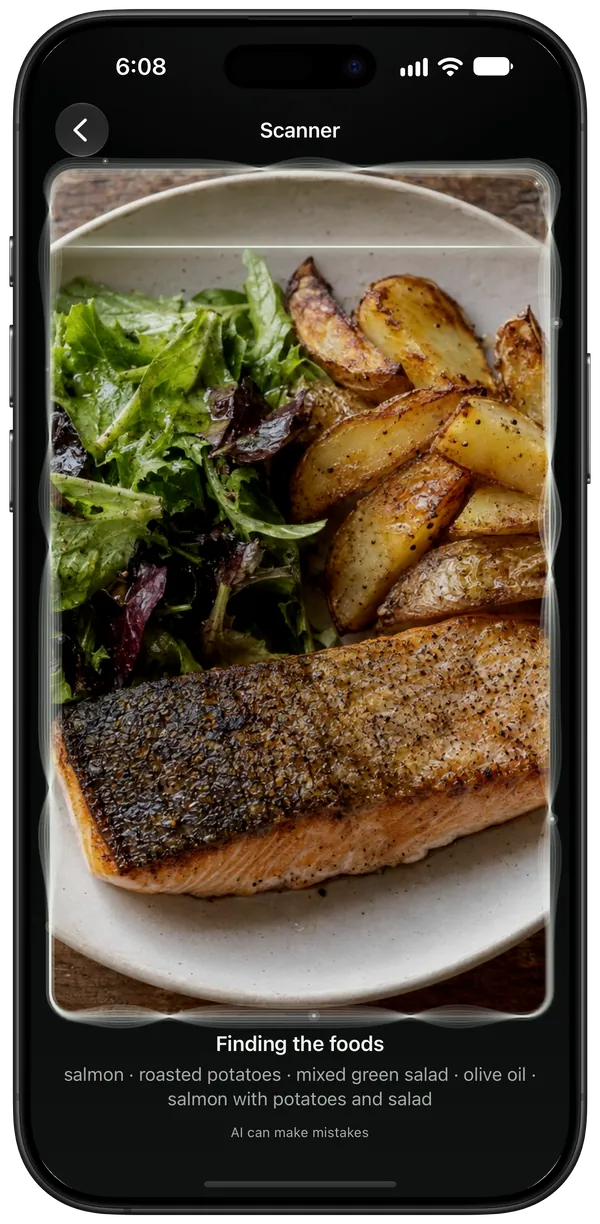
Snap your plate. Get the macros.
A photo gives you each food, its portion and its macros. Barcode scanning and the food library are free.
-
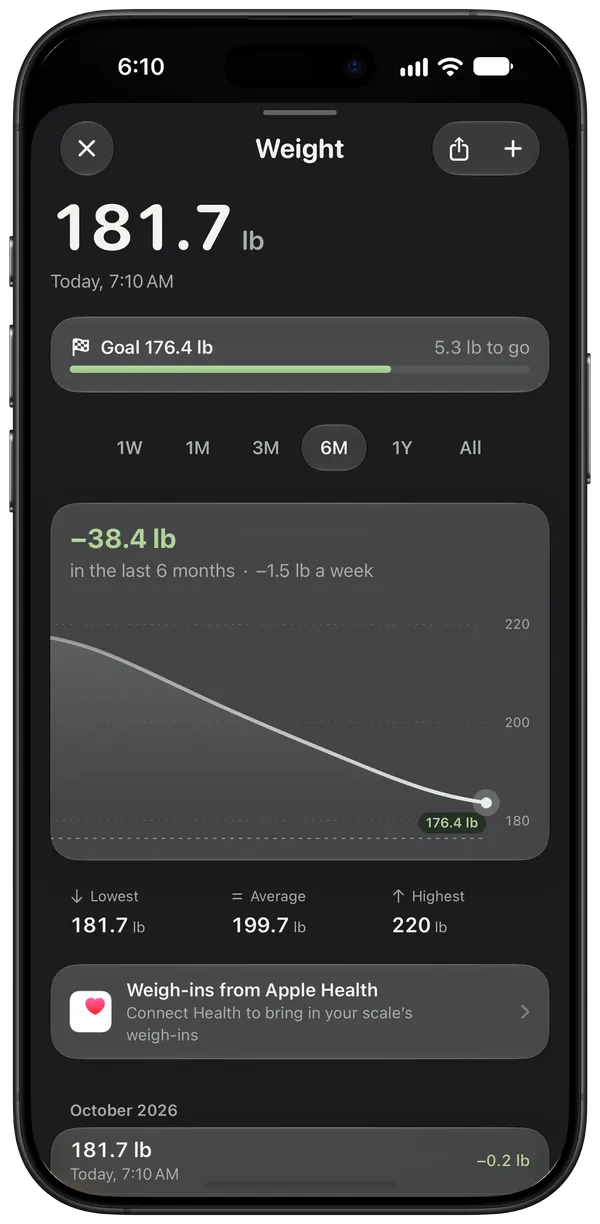
See your progress
Weight trends, stats and progress photos are completely free.


-
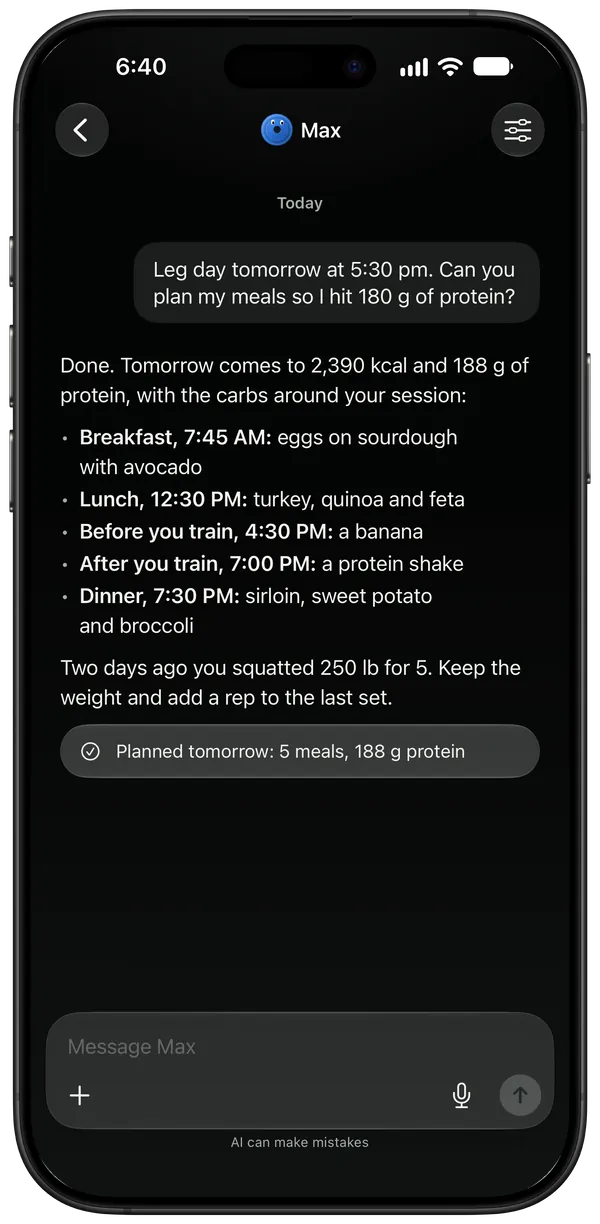
Your coach plans. You approve.
Ask for the next few days and see every change before it lands in your diary.
-
Log meals and workouts in one sentence
Type it or say it, and it's in your diary before the coffee gets cold.
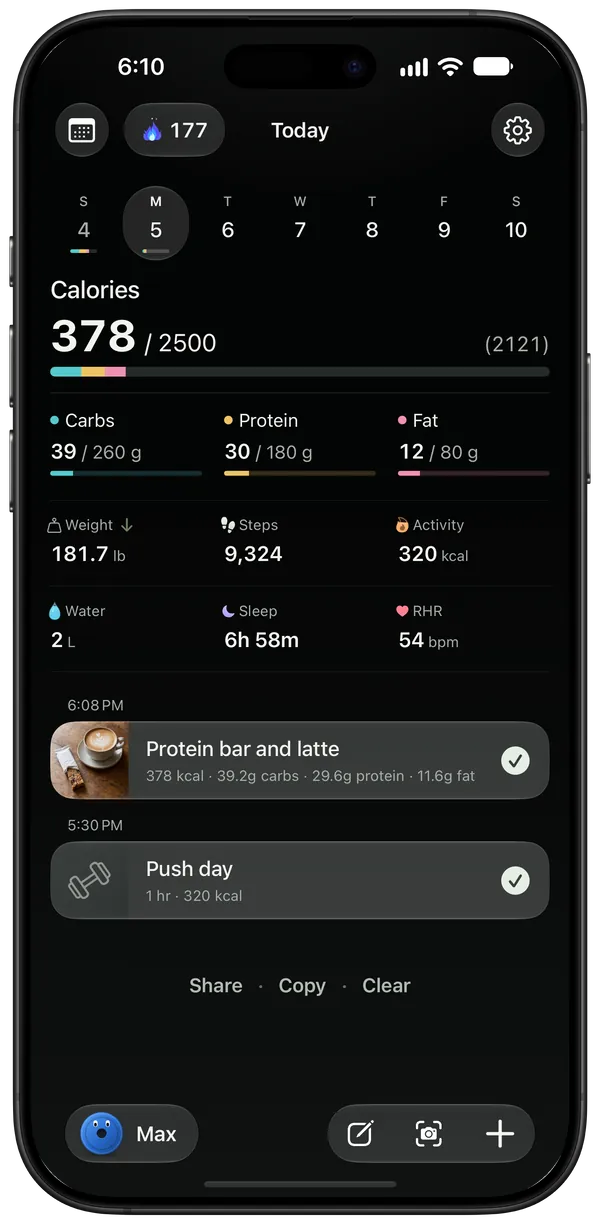 “An hour of push day, then a protein bar and a latte”
 -
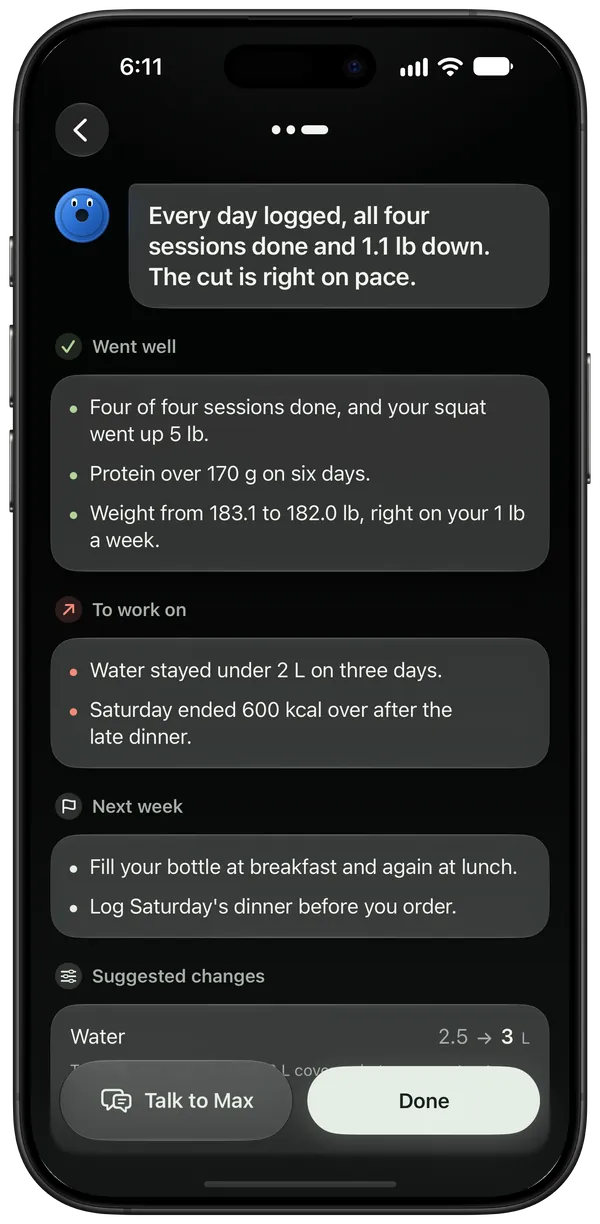
Every week, reviewed
Get a detailed analysis of your week, suggestions for the next one and goal changes you can accept in one tap.
-
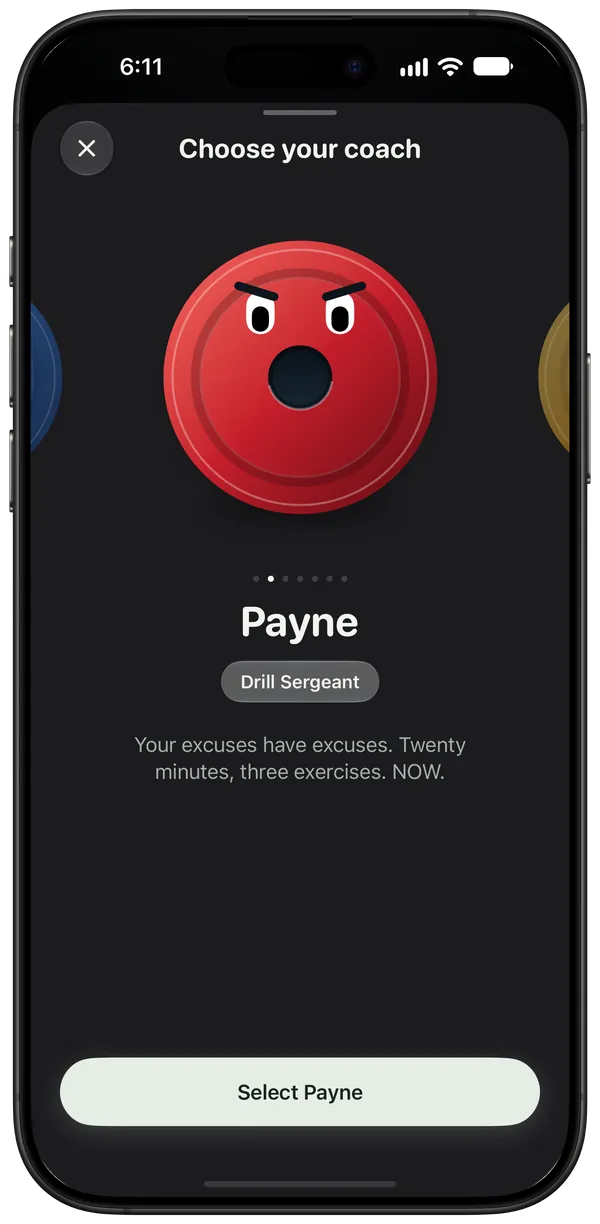
Seven coaches. Pick yours.
From Max, a calm personal trainer, to Payne, a drill sergeant who thinks your excuses have excuses.
-
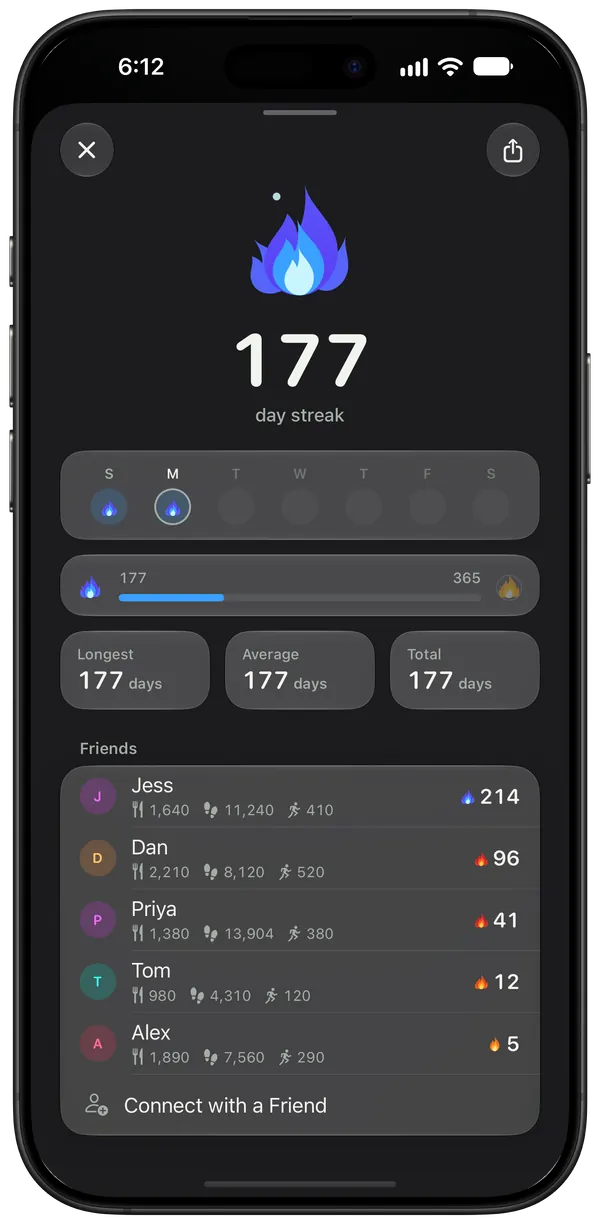
Keep the streak going, together
Share your streak with friends and see theirs. Private links are end-to-end encrypted.
-
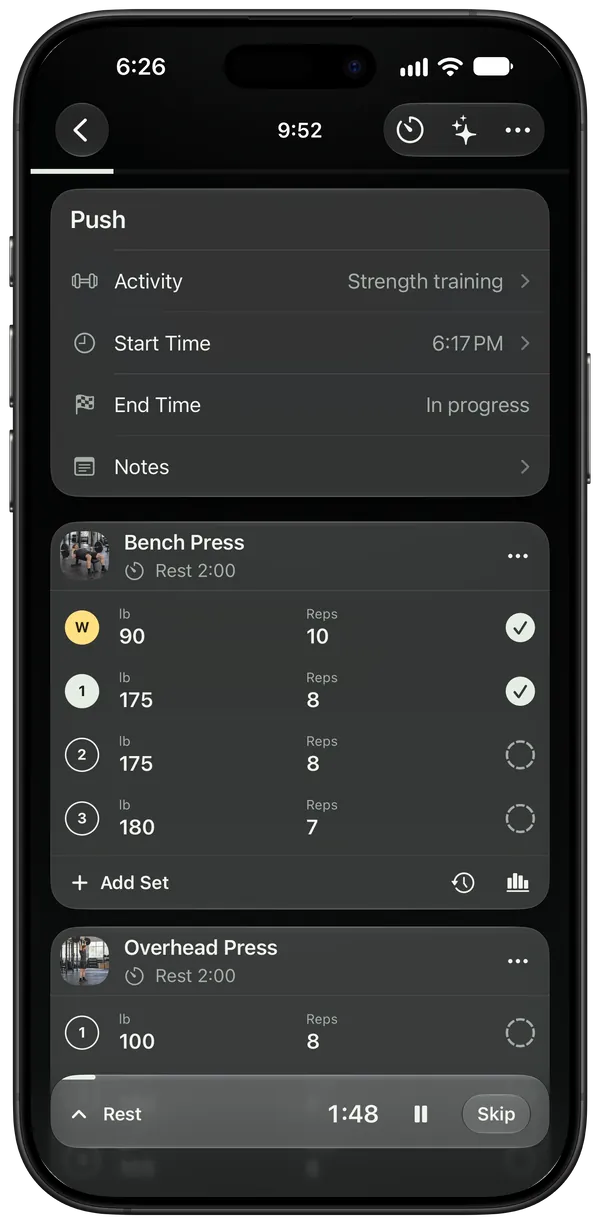
Live workouts on your phone and watch
Start it on your iPhone or Apple Watch and log every set as you go.


An extensive food and recipe library
Search it for free, scan a barcode, or create your own foods and recipes.


A large exercise library
Build your routines from it, or create your own exercises.


Free to track. Premium to be coached.
Free
Everything you need to track
- Barcode scanning
- The food and recipe library, plus your own
- Workouts and routines
- Weight trends, stats and progress photos
- Friends and streaks
- Apple Watch, widgets and Apple Health
Premium
A coach who sees your food and your training
- Seven AI coaches to pick from
- Meal and label scanning
- Quick Add by voice or text
- Plans you approve and weekly reviews
- Encrypted backups and sync
- Links to share a meal, a day or a workout
Your diary is yours
- On your phoneWorks offline, with or without an account.
- Encrypted backupsEnd-to-end encrypted. We can't read them.
- No ads, no trackingWe never sell your data.
Questions
Is Eat & Lift free?
Yes. Everything you need to track your food and training is free, with no ads, ever: barcode scanning, the food library, stats, progress photos, friends, widgets and the Apple Watch app. Premium adds the AI coach and what's built on it, like meal and label scanning, Quick Add and plans, plus encrypted backups and share links.
Do I need an account?
No. Your diary lives on your phone and works offline. You only need an account for the AI features, backups and private links with friends.
Does it work with Apple Health and Health Connect?
Yes, both ways, once you connect them. Weigh-ins, workouts, steps, sleep and more come in, and the meals you check off, water, weigh-ins and finished workouts go out.
What does the AI coach see?
Only what you allow. Before you start, the app shows what your coach can see, all switched on, and you can switch any of it off then or later. It gets your messages and recent chat, the photos and recordings you add, and those parts of your diary, which can include health data, when you use it and for its reactions and weekly reviews. Progress photos are never sent.
Can you read my diary?
No. Your diary lives on your phone, and your backups are end-to-end encrypted before they leave it: we store them, but we can't open them. Only what you choose to send, like a public link or a message to your coach, can be read on its way.
How do I cancel Premium?
In your App Store or Google Play subscriptions, at any time. Premium keeps working until the end of the period you paid for, and your diary stays as it is.
Start your diary today